Showing posts with label AppAdvice.com Latest. Show all posts

Apple Releases iOS/iPadOS 17.3 With Stolen Device Protection and More

Apple has just released new software for the iPhone, iPad, Apple Watch, and Apple TV. Here is what’s new.

iOS/iPadOS 17.3

First up, Apple has released iOS/iPadOS 17.3. You can download the update by going to Settings > General > Software Update on your iPhone or iPad.

The major new feature is Stolen Device Protection for the iPhone. With that feature, Face ID or Touch ID is required to perform certain actions. That further protects the information on your smartphone is someone is able to find out your passcode and steal the device.

Apple Music fans can also enjoy a collaborative playlists with others.

Here’s the entire changelog:

Stolen Device Protection
– Stolen Device Protection increases security of iPhone and Apple ID by requiring Face ID or Touch ID with no passcode fallback to perform certain actions
– Security Delay requires Face ID or Touch ID, an hour wait, and then an additional successful biometric authentication before sensitive operations like changing device passcode or Apple ID password can be performed

Lock Screen
– New Unity wallpaper honors Black history and culture in celebration of Black History Month

Music
– Collaborate on playlists allows you to invite friends to join your playlist and everyone can add, reorder, and remove songs
– Emoji reactions can be added to any track in a collaborative playlist

This update also includes the following improvements:
– AirPlay hotel support lets you stream content directly to the TV in your room in select hotels
– AppleCare & Warranty in Settings shows your coverage for all devices signed in with your Apple ID
– Crash detection optimizations (all iPhone 14 and iPhone 15 models)

watchOS 10.3/tvOS 17.3

Apple Watch users can now download watchOS 10.3

It features the new Unity Bloom watch face, pictured above. There are other smaller bug fixes and improvements.

The update can be downloaded now through the companion Watch app on your iPhone by heading to General > Software Update in the My Watch portion of the app. You can also go to Settings > General > Software Update on an Apple Watch.

Your watch needs to have more than 50 percent power and connected to a charger. Like most Apple Watch updates, it could take anywhere from 30 minutes to an hour to complete, so be patient.

It’s compatible with the Apple Watch Series 4 and later.

tvOS 17.3 has also arrived for the Apple TV. There are no known new features.

An update should automatically be downloaded to an Apple TV HD or Apple TV 4K.

If you haven’t already enabled automatic updates, you can download the software by heading to Settings > System > Software Updates > Update Software. Right next to the button to update software is the toggle switch to turn on automatic updates.


source AppAdvice.com Latest https://ift.tt/cq7Ba43

Hit the Road in the Beautiful Racing Game Art of the Rally

Get behind the wheel and explore 78 stages of driving action across the world in the new game Art of the Rally.

The top-down racer celebrates the golden age of rally as you’ll travel to locations like Finland, Sardinia, Norway, Japan, Kenya, and Indonesia.

You can race in a host of vintage cards from the 1960s to 80s.

To begin the game, you can truly customize the racing experience that’s best for you. You can race in manual or automatic transmission and change the percentage of stability assist or anti-lock braking.

There are a number of modes to play in the game. Along with a comprehensive Career Mode, Time Attack allows you to race for the fastest possible time. Custom Rally lets you create the perfect rally and select the location, number of stage, AI difficulty, and damage level.

Head online to compete in a daily and weekly challenge.

For inexperience racers, you can also choose Free Roam to explore the different stages and get the hang of the natural and well-designed control system.

And to show off you driving skills, or anything else in the game, there is even an integrated Photo and Replay mode. You’ll definitely want to enjoy the scenery along with the driving action. At 60fps on my iPhone 14 Pro Max, the game looks wonderful.

For the iPhone and all iPad models, Art of the Rally is a $4.99 download on the App Store now.


source AppAdvice.com Latest https://ift.tt/Oi6vYbP

Be Head of the Class With the Updated Schooly App

If you’re a student, you need Schooly.

The cross-platform app helps you manage an academic endeavors with schedule, assignments due, and much more.

At the start of the year, you can add in a schedule, even with repeating weeks and block schedules. You can add the teachers and classroom. For easy access, you can add a schedule to your home screen with a widget.

Head to the app to create assignments so you will also know what you need to work on.

Thanks to iCloud sync, your information will be available on all of your devices. While on the go, you can even see your schedule and what is due on the Apple Watch.

With a recent update, the app has gotten even better with a numbers of new features. You can now mark off and track completed assignments. And a new interactive widget allows you to check off an assignment directly from your home screen without even opening the app.

A redesigned home screen view in the app also shows better insights into your upcoming scheduled and assignments.

The app is developed by 18-year-old Australian Oscar Gorog. The WWDC 2020 scholarship winner created the app because he couldn’t find any other good options to organize he school work on the App Store.

Even though my school days have longed passed, it’s obvious that the app is well-designed and should make any students life just a bit easier.

Schooly is for the iPhone, iPad, Mac, and Apple Watch. It’s a free download on the App Store now.

A Schooly Pro tier is available for a subscription of $0.99 per month, $9.99 per year, or $24.99 for the lifetime of the app. That unlocks a number of additional features including the ability to add more than 10 assignments, receive notifications for due work, send due items to friends, use Siri Shortcuts and add assignments directly on the Apple Watch.


source AppAdvice.com Latest https://ift.tt/PpHLxkX

Explore Art Therapy and Mindfulness With Groodles

Days are short and the weather is getting colder. And you’re probably spending even more time inside. That can take a toll on your mental health. An interesting new app, Groodles, is made to provide art therapy and mindfulness.

The iPad only app features a wealth of art-based exercises. Some of the wide variety of topics include daily reflections, reflection on what makes you happy, why you are anxious, an exercise at bedtime, and much more. Before starting, you’ll see the time each exercise takes

Completing an exercise is easy and can even be used by kids. You can use an Apple Pencil or even just your finger. Step-by-step audio instructions will guide you through the entire process. There are the usual drawing tools at the bottom of each page.

While I didn’t know what to expect, the prompts were great and I enjoyed completing a number of the exercises. Each one helps turn focus inward and help you better understand yourself in a journey of self-discovery that can be important for everyone.

All of the content is available offline, which is a huge plus for a plane ride or somewhere without an internet connection. The app also supports dark mode and can be used in both portrait and landscape orientation.

I’ve just been using Groodles for a few days but have come away impressed. I’m not exactly an artists, but the app is welcoming and easy for anyone to use. Give it a try and see if you can fit it into a daily routine.

Groodles is a free download on the App Store now,. You’ll be able to try out the app for free for three days and then need a subscription to keep using it. That’s $29.99 yearly.

Subscribers will be able to access hundreds of original artworks to guide you and additional content and exercises.


source AppAdvice.com Latest https://ift.tt/boNgDxe

Apple’s Vision Pro Will Launch With Large Roster of Streaming Apps and Other Experiences

With Apple’s Vision Pro available for pre-order on Friday, the company is providing even more information about the apps and more launching with the headset.

In a new release, Apple confirmed that users will be able access a number of popular streaming apps on the service including Disney+, ESPN, MLB, PGA Tour, Max, Discovery+, Amazon Prime Video, Paramount+, Peacock, Pluto TV, Tubi, Fubo, Crunchyroll, Red Bull TV, IMAX, TikTok, and MUBI.

When watching Disney+, you will be able to watch TV and movies in four iconic and highly-detailed environment. Some of those include the Scare Floor from Monsters Inc., Marvel’s Avengers Tower looking into Manhattan, and the cockpit of Luke Skywalker’s land speeder facing a binary sunset on Tatooine.

A number of 3D movies will also be available including The Way of Water, Dune, Spider-Man: Into the Spider-Verse, and The Super Mario Bros. Movie.

Vision Pro will also feature Apple Immersive Video. Those will be 180-degree 3D 8K recording with Spatial Video. Some of those available will include Prehistoric Planet Immersive and Alicia Keys: Rehearsal Room.

Dinosaur fans will also enjoy the Encounter Dinosaurs app developed by Apple and shipping with Vision Pro. It will give users a peak into the Cretaceous period more than 66 million years ago.

Pre-orders for the $3,499 device will open two weeks before at 5 a.m. PT on Friday, Jan. 19. Optical inserts will cost $99 for readers and $149 for a prescription.

Apple terms the headset spatial computing. Running visionOS, the device will feature an App Store with compatible iOS and iPadOS apps along with titles made just for the device.

Instead of controllers, you’ll interact with simple hand gestures like a finger pitch. Siri support will also allow you to interact with the device and things like open an app or play media.


source AppAdvice.com Latest https://ift.tt/LcCZpfk

5 Best Apps for New Apple TV Users

Do you have a new Apple TV 4K and are looking for something to watch and explore what the streaming device has to offer? We’ve got you covered with this list of the must-have apps for Apple TV.

Netflix

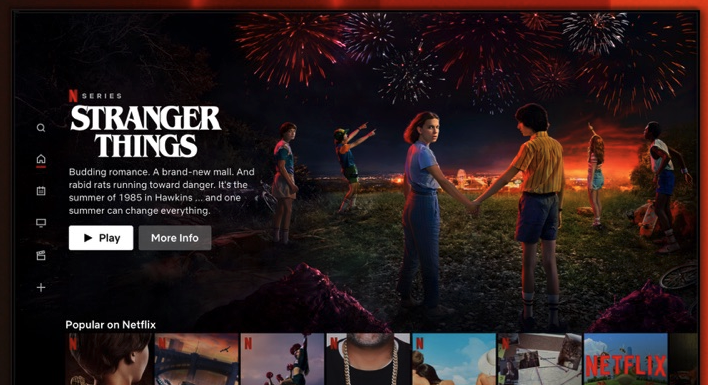
Everyone has heard of Netflix—it’s the leading Internet streaming service for most of the hot shows and movies that you can’t miss.

Netflix streaming has a lot of popular shows as well as original series that are worth watching. Plus, you can always find a decent movie to watch when it’s movie night.

While the app is free, you’ll obviously need a subscription. There are a number of options available.

Sling

Sling TV is a solid option for watching the shows, sporting events, and channels you love on your iPhone or iPad. But, now you can check out Sling TV for your Apple TV making your favorite live television and on-demand shows only a click away.

The Apple TV is a great alternative to traditional television services. The app is clean, crisp, and simple to use. The channel and show options are extensive with something for everyone in the house.

You’ll need a subscription to the get most out of the service.

CARROT Weather TV

CARROT Weather provides users with a sleek, minimalistic interface, comprehensive forecast reports and details, and humorous, sarcastic comments. You can get the current temperature, see the forecast for the rest of the week or by the hour, and get detailed bits of information like precipitation chance, humidity, and more.

Plus, there’s a fun time travel feature if you are curious what the weather was like in the past or even get a prediction for the future, and you unlock many secret locations from all over the fictional world. CARROT Weather is one of the best weather apps available on the App Store and for good reason.

The app is a $3.99 download.

Scenic Loops

Whether you have your Apple TV in the home or in the office, Scenic Loops gives you calming and comforting video views of nature. Perfect for waiting rooms, relaxation spots, or simply turning your black screen into a window of beauty, the app is makes an ideal screen saver.

For beautiful HD videos of nature, Scenic Loops has wonderful options that include soothing sounds and tranquil views. It’s definitely worth the $0.99.

El Hijo

And the Apple TV is also a great way to enjoy games. One of the best is El Hijo. The 2022 Apple TV Game of the Year chosen by Apple, El Hijo, is a perfect game for the whole family.

In the non-violent stealth game, you’ll rely on the mischievousness of the 6-year-old titular character to hide in the shadows and survive in the old west. Along with a number of tricky environmental puzzles, you’ll enjoy the storyline of a brave son searching for his mother.

The game is a $9.99 download. Along with the Apple TV, you can also play the game on your iPhone or iPad.


source AppAdvice.com Latest https://ift.tt/7Hik8Gn

Be Prepared to Wait While Playing the Unique Idle Game The Longing

As Tom Petty once said, the waiting is the hardest part. And prepared to do a lot of that in the new game The Longing.

If you’re tired of fast-paced games, you’re in luck. Part adventure and part idle game, you’ll be controlling s lonely Shade who is the late servant who to a king who once ruled an underground kingdom. The king’s powered have disappeared, and he falls asleep for 400 days to regain his might.

And it’s the Shade’s duty to stay in the palace until the King awakes. Time will pass as it does in the real world, so it will truly take 400 days. Once the game starts, there is a timer that will countdown on top of the screen.

So it’s up to you to decide how to pass the time. Fortunately, there are a few things for you and the Shade to try out to help pass time.

Some of the things you can do include take a walk in caverns at a slow pace and collect items for your underground living room or read classic literature like Moby Dick directly in the game.

For the more adventurous, you can ignore the king’s commands and try to advance to the outer regions of the cave in a lon and dangerous journey.

Along the way, there are a number of hidden secrets to find. You’ll also enjoy time-based puzzles.

There’s even more good news in 400 days as there are various endings to the game.

I’ve just started the game and am interested to see how the time passes. It’s a unique take on gaming.

Designed for the iPhone and all iPad models, The Longing Mobile is a $4.99 download on the App Store now.


source AppAdvice.com Latest https://ift.tt/KP9WFHG

Song Fox is a Perfect Party Game Powered By Apple Music

If you’re looking for a perfect party game, or just want to test your music knowledge, try out the new game Song Fox.

The “name that tune” game is powered by Apple Music and your iTunes Library.
Getting stated is easy. For more than one player, you can add users by name. You can then select a person from that list to play.

You can select songs for everyone to guess or just shuffle play with what’s already downloaded to your device from Apple Music.

For even more customization, you can select how many songs each person will guess during their round.

When the game starts, the song will begin to play. When you have a guess, choose the Guess Button to speak either the song name or artist. Select Try Your Guess to see if you choose correctly. If you’re totally stumped, you can also choose to pass and move to the next song.

If you need a hint, just swipe down on the animation on the stage to see the artist in jumbled letters.

You’ll gain points for a correct guess and more bonus points depending on how many guesses.

Even though the game is fun solo, the number of ways to customize play makes it a sure winner for any get together with friends or family.

Song Fox is designed for the iPhone and a free download now on the App Store.

You can play the game free for seven days after downloading. After that, you will need a subscription. There are three options available—$1.99 per month, $7.99 for six months, or $14.99 yearly.


source AppAdvice.com Latest https://ift.tt/y2uElsA

CrossCraft Transforms the Usual Crossword Puzzle With Tons of Customization Options

CrossCraft isn’t your usual crossword puzzler.

The new game features tons of customization and personalization options and much more.

To begin, you can dive into crosswords featuring an extensive range of topics—everything from general knowledge to Harry Potter or even the Flutter programming language.

But that’s far from all. You can then customize the puzzle by adding your own clue-answer pairs. That’s perfect for teachers, parents to help provide a fun challenge for students.

If you don’t want to use any of the themes, you can even create a crossword with just custom questions and answers.

When you need to create a crossword, you can select from five sizes, three shapes, and three levels of difficulty.

Two shapes are prefect to fit a full page. When exporting or sharing a page, the game also provides the option to export the puzzle and clue parts separately. That will improve readability or larger crosswords.

The game and all topic content are available in seven languages. All of the crossword creation happens directly on your device. With that, you don’t need any Internet connection to play.

Designed for the iPhone and all iPad models, CrossCraft is a free download on the App Store now. A native Mac app is planned soon.

There is also an optional CrossCraft Premium subscription for $6.99 per year, $0.99 per month, or $0.49 weekly. There is also a lifetime access tier for $24.99.

Subscribers import crosswords from CSV/JSPON files and there are no watermark in exports. You’ll also be able to play crosswords of all shapes, sizes, and all three available difficulty levels. The free version only unlocks small and extra small crosswords in the square orientation.


source AppAdvice.com Latest https://ift.tt/Lj8igOI

Iconic To-Do App Clear Jumps Into the Modern Age With a New Update

Arriving originally in 2012, Clear took the App Store by storm offering a unique list app. Featuring beautiful gradient colors and easy-to-use gestures, it stood out in a sea of bland competitors.

Since it’s original release, the app wasn’t consistently update and felt a bit old and stale. But that’s no longer the case as Clear 2.0 has just landed.

The update hasn’t changed the look and feel of Clear, but made the app even better. Design-wise, the app support the edge-to-edge design of modern iPhone models and looks great as the colors pop off the screen.

One of the best parts of the original app, the gestures, are getting even better. You can now drag and drop between lists, swipe to schedule a reminder, and swipe to archive lists. Taking a screenshots also makes it easy to share a list.

I’ve been testing the app for a few weeks, and have really enjoyed it. While it feels like a blast from the past, especially for anyone who used the original, it provides a fun way to keep track of your to-dos or pretty much anything else.

The gestures take bit of time to get used to, but once you do, it makes using the app even easier. If you’re totally new to the app, there is a Gesture Guide available to view when you first open up Clear that will walk you through the different ways to interact with everything.

You can download Clear on the App Store now for the iPhone and iPad.

The app is completely free with the update. You can customize the app by purchasing different themes, icons, fonts, sounds, and more. Those will be consistently updated so you’ll always be able to find something new to help support the app.


source AppAdvice.com Latest https://ift.tt/2zDy7Lm

Apple's Vision Pro Will Officially Land on Feb. 2

After being introduced last June at WWDC 2023, Apple’s Vision Pro will officially arrive next month on Friday, Feb. 2.

Pre-orders for the $3,499 device will open two weeks before at 5 a.m. PT on Friday, Jan. 19.

Apple terms the headset spatial computing. Running visionOS, the device will feature an App Store with compatible iOS and iPadOS apps along with titles made just for the device.


source AppAdvice.com Latest https://ift.tt/iTs3lNU

Easily Backup and Recover Deleted Playlists and More With Rewind

Creating the perfect custom Apple Music playlist can definitely take some time. But with just a few mistaken taps, that hard work can be gone forever.

But with Rewind provides insurance to help make sure your playlists, songs, and music videos from being accidentally deleted.

Just think of the app like Time Machine for Apple Music. It can take a snapshot of your songs, playlists, and music videos. If you happen to accidentally delete something, head back to the app. It will compare the backup to what’s on Apple Music and show anything that has been deleted.

All you’ll need to do is hit Recover to add the deleted file back into your library.

Much like Time Machine on the Mac, you can even browse your library at the specific time the backup was made.

The app was very easy to use. I started by making a backup of my Apple Music library and then deleting a few random songs, playlists, and music videos. I went back to Rewind and was able to see exactly what I deleted and was able to recover everything.

Just to note, only music added from Apple Music or matched from iTunes can be recovered. The app can’t recover songs added via mp3 from iTunes.

Rewind is free download now on the App Store. It’s only for the iPhone.

Thee free version allows you to unlock the three latest backups.

With a one-tine purchase of $4.99, you can unlock automatic backups that happen twice a week. You can also access all backups.


source AppAdvice.com Latest https://ift.tt/WzVPJnb

Apple Fitness+ Adding Sound Meditation Theme, Workout Program Golfers and More

Apple Fitness+ is adding a host of new content to help you keep active in 2024.

First up is a new meditation theme—Sound. Along with light guidance from trainer, you can also enjoy soothing tunes and rhythms to help you create a sense of ease. Seven sound meditations in different increments will be available in a 5, 10, and 20-minute increments.

Golfers will want to take advantage of the Strength, Core, and Yoga program designed by professional golfer Rose Zhang. It features four workouts among strength, core, and yoga made to improve strength, balance, flexibility, and mobility.

Apple will add four Artist Spotlight series in January and early February. Those are entire an entire workout playlist dedicated to a single artists. Rhianna lands on Monday with Britney Spears on January 15 and U2 on January 22. On February 5, music from year’s Apple Music Super Bowl LVIII Halftime Show headliner, USHER will arrive.

Four new Time to Walk episodes will also arrive in the coming weeks with Trixie Mattel, Lilly Singh, Common, and Colman Domingo.

You can subscribe to Apple Music for $9.99 per month or $79.99 yearly. The subscription can be shared with up to five other family members. It’s included in the Apple One Premier Plan that costs $37.95 monthly and also includes 2TB of iCloud+, Apple TV+, Apple Music, Apple Arcade, and Apple News+.


source AppAdvice.com Latest https://ift.tt/RMLaFjK

Enjoy the New Year With Three Apple Arcade Additions

January is starting off with a bang for Apple Arcade subscribers. Here are three new games that have just landed on the service.

Cornsweeper

Get to popping with Cornsweeper. The game is a buttery take on the classic Minesweeper. You’ll want to pop all of the corn but avoid the burnt kernels so it won’t be game over.

The game features 70 levels and an unlockable Arcade Mode. Head to The Stall to collect all 28 purchasable items.

Tamagotchi Adventure Kingdom

The most popular virtual friend ever is alive in well in Tamagotchi Adventure Kingdom.

In the game, you’ll join Mametchi as he travels around the world to make friends, solve problems, and restore the kingdom with happiness.

One of the best ways to enjoy the game is exploring the world of Tamagotchi . You can head from the Patchi Forest all the way to Guru Guru Park and uncover new characters and much more.

All total, there are more than 300 Tamagotchi characters to find and meet, each one with a unique personality.

You can even create your own kingdom with Tamagotchi friends Build a home with furniture and outfit party guests with special outfits.

Blackjack by MobilityWare+

Head to the casino in Blackjack+ by MobilityWare.

Whether you’re new to the popular card game or an experienced player, the game has something for you.

Practice the card game with unlimited play and free chips. You can level up yo travel to new tables in London, Singapore, Macao, Paris, Barcelona, and more.

Subscribe to Apple Arcade

You can try out Apple Arcade with a one-month free trial. After that, it’s $6.99 per month. It’s also a part of all Apple One bundles.

A subscription can be shared with up to six other members of your family with Family Sharing.

To subscribe on your iPhone or iPad, open up the App Store tab and then select the Arcade tab.


source AppAdvice.com Latest https://ift.tt/uM6GsZ3

5 Great Apps to Help You Keep New Year’s Resolutions

Most of us will make New Year’s resolutions. But most of them will fall by the wayside come mid-February. Here’s a collection of apps that will make keeping your resolutions easier – and keep you motivated through the process.

Remente: Self Care & Wellbeing

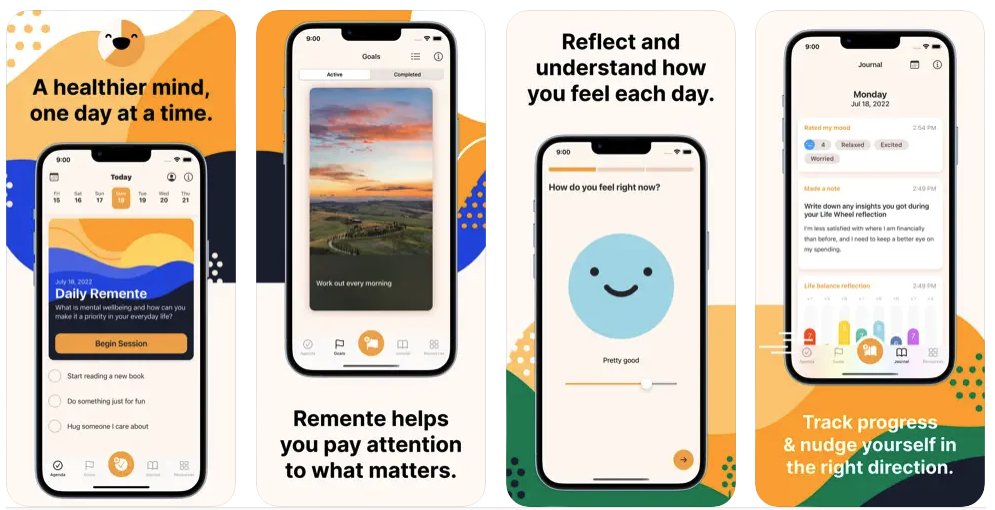
Remente – Self Improvement can help you reach your goals. The app includes a daily planner, a life assessment tool, a goal-setting system, and a collection of articles and exercises to get you on your way to better habits. You can keep track of your mood in the journal and make improvements to all aspects of your life with the help of Remente.

The iPhone and iPad app is free to download with a subscription needed to unlock the entire app.

White Noise

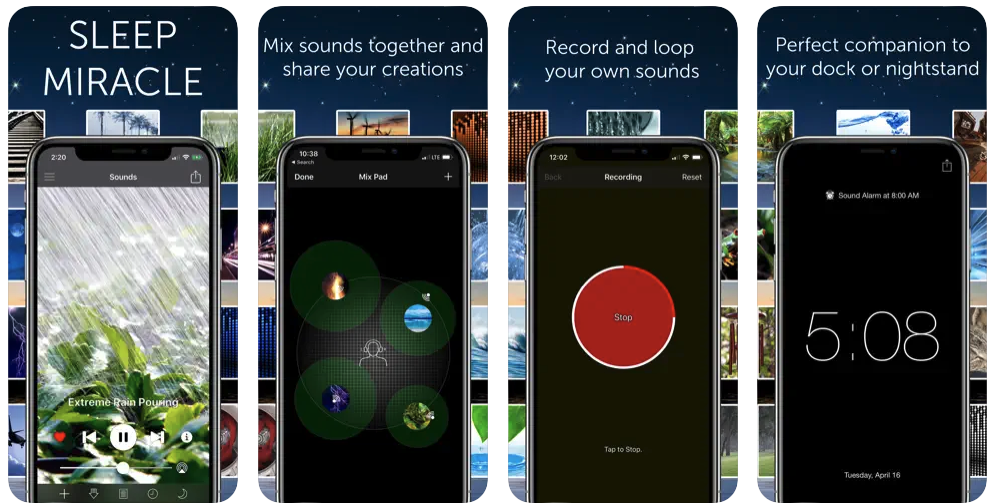
We all probably need more sleep, and White Noise can help. It offers a large variety of relaxing sounds from brown and blue noise to nature sounds to ticking clocks. Each scene displays a static image with the sounds you enjoy. The app offers a sleep timer as well as a digital clock display.

White Noise offers a sound catalog with tons of effects to choose from like an air conditioner, thunder storm, street noise, and a grandfather clock. The app has a handy full screen digital clock and advanced controls for looping playlists, mixing with music, and balance and pitch. You can also customize your alarm snooze times and control playback on your Apple Watch.

Chaos Control: GTD Task List

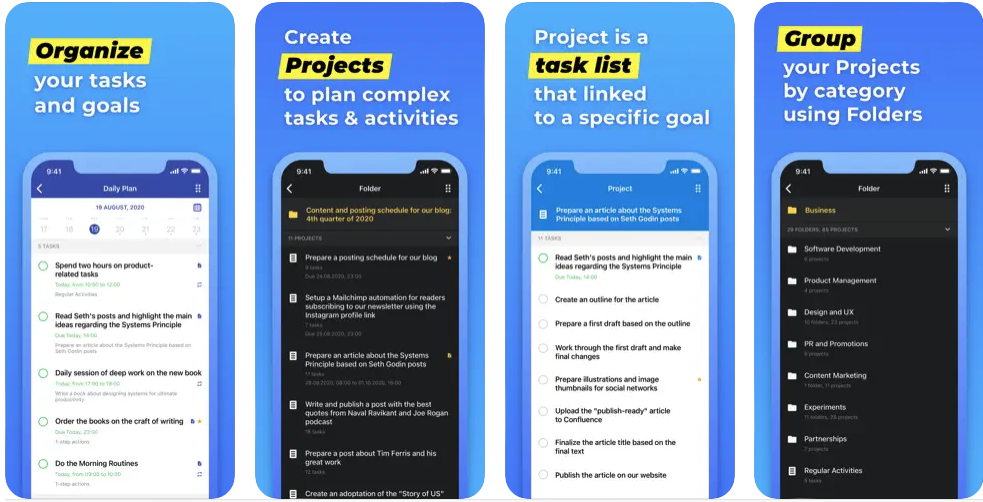
Based on the Getting Things Done methodology, Chaos Control is an app that can manage everything from your personal to business needs. It’s designed with everyone in mind to handle the simplest to the heaviest of tasks. You can manage your day, tasks, personal goals, time, activities, projects and lists with ease.

For iPhone, iPad, and Apple Watch, the app is free to download with a subscription needed for most of the features.

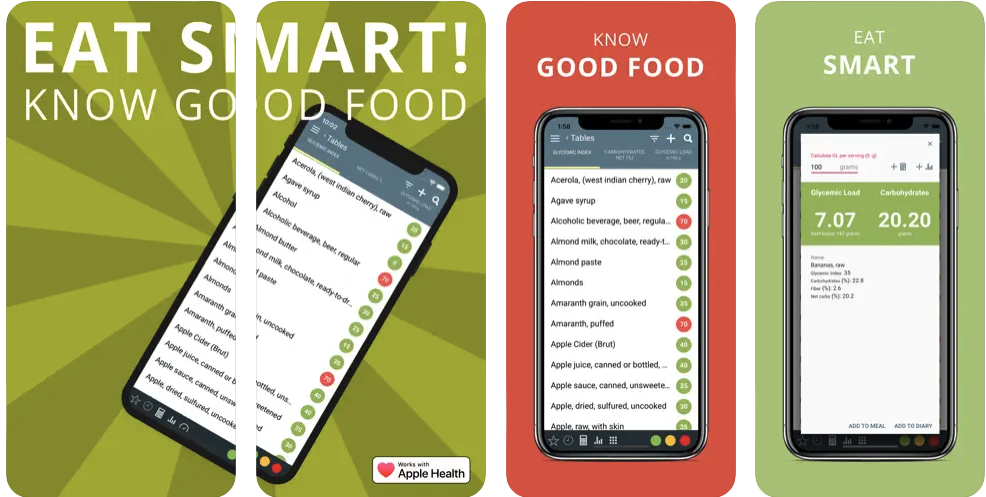
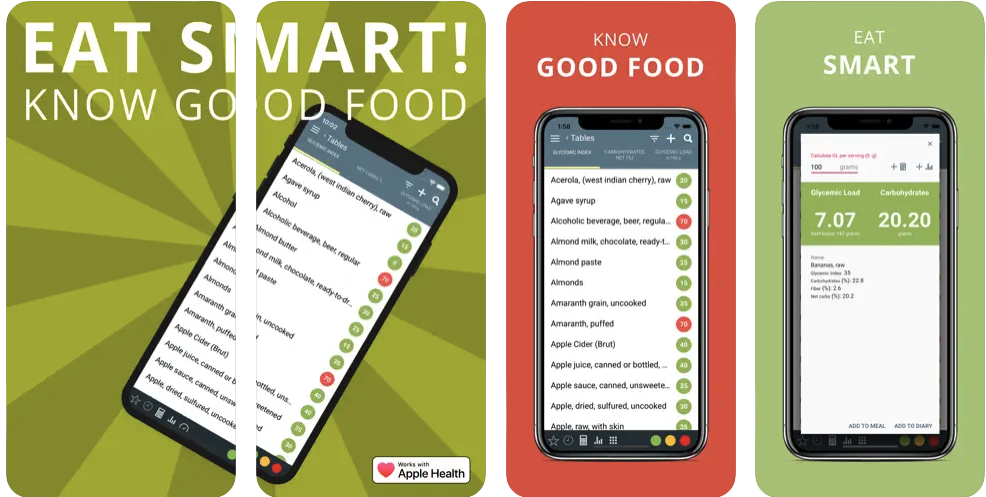
Glycemic Index Load Net Carbs

The Glycemic Index app can help you eat healthier with low carb diet details along with a food diary. Check the food list, add foods to your meals, track your weight, and control your overall food intake with the app’s handy tools.

You can download the iPhone and iPad for free. There is a subscription available.

Digit

Digit is an effortless way to save money without thinking about it. It’s for anyone who doesn’t have time or want to think about saving money. It’s set up for you.To get started, connect your checking account to Digit.

This allows Digit to analyze your income and spending, and find small amounts of money it can safely set aside for you. Every few days, Digit transfers small amounts of money to your Digit savings. Digit never transfers more than you can afford, so you don’t have to worry about over-drafting your account.

The iPhone and Apple Watch app is a completely free download.


source AppAdvice.com Latest https://ift.tt/pBEa7QK

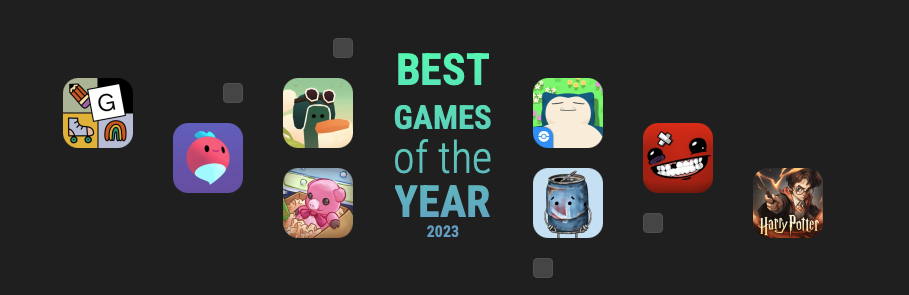
The Best New Games of 2023

What another banner year for gaming on the iPhone and iPad.

As usual, there were tons of new games available to try on the App Store in 2023. And we’ve chosen our top 25 of the year. Our No. 1 choice is the zen game Unpacking.

See our entire list here.


source AppAdvice.com Latest https://ift.tt/ZD7ohzC

5 Great Lengthy iPhone and iPad Games

It’s a long holiday weekend, and you have a lot of time on your hands. What are you going to do? Play a game, of course.

Thimbleweed Park

The classic style of point and click adventure games of the past like Secret of Monkey Island, Maniac Mansion, and others are on full display in Thimbleweed Park. You get to play as two FBI Agents who are faced with a small town murder to solve. There are numerous quirky characters to interact with as you play through a storyline that is about a dozen hours.

For the iPhone and iPad, the game is $9.99.

Dandara Trials of Fear Edition

The retro, 2D pixel art style in Dandara is a blast from the past and looks like it came straight out of the ’80s, especially with all of the bright, vivid colors. Even though it’s pixelated, everything in the game is incredibly detailed, from shading to textures. Animations are smooth and fluid with no lag on my iPhone 8 Plus. Since the game relies heavily on quick thinking and reflexes, the steady frame rate is necessary. The ambient, atmospheric soundtrack is subtle and adds another layer of depth to the game, and it’s quite enjoyable to listen to. Overall, Long Hat House did an excellent job with the visual and audio design of Dandara, making it a sure keeper.

Since Dandara is a metroidvania style game, that means players progress through a series of connected rooms. These rooms contain plenty of traps, obstacles, and enemies that you’ll have to get past in order to explore and move on to the next room. In the case of Dandara, players will be traversing through one giant world called Salt.

You can download the game for $3.99. It’s for the iPhone and iPad.

The Room Three

The story of The Room continues with trials set by a creepy new nemesis, The Craftsman. As you explore huge areas and tiny ones, the challenges feel increasingly epic, and a better-than-ever hint system ensures that finding solutions is super-rewarding. Can you unravel the secrets of the remote island you’ve found yourself on?

The Room Three is beautifully crafted with a chilling atmosphere, mind-bending puzzles, and a collection of gorgeous visuals. It will bend your mind as you try to unravel the puzzles behind the island and the mysterious Craftsman. Enjoy the puzzlings trials and keep your wits about you.

For the iPhone and iPad, it’s a $3.99 download.

Dust: An Elysian Tale

As you travel the world of Falana, you’ll encounter enemies whom you can fight, using the game’s simple yet nonetheless challenging combat system, to gain experience points and level up. You can also pick up power-ups to unlock special abilities and take on quests from villagers along the way. But your ultimate quest shall remain discovering secrets toward remembering your past.

Originally released for console and desktop, Dust: An Elysian Tail boast an epic action-adventure tale told through 2-D hand-painted and animated scenes with a full voice cast and a sweeping musical score. What’s more, the game lends itself well to hours and hours of exploration and experimentation as it incorporates elements of RPG and nonlinear platforming.

It’s a $5.99 download for the iPhone and iPad.

Crashlands

Stranded on an alien planet, you must use your wits and guts to get by. Using simple and intuitive controls, you can build a home, learn from local sentient life, go on quests, and craft resources into weapons. You’re challenged to uncover a sinister plot and ultimately save the universe.

Crashlands is an outlandish story-driven action-adventure game. It has a sassy sense of humor that will keep you entertained as you play for hours on end. The game also features an infinite inventory that manages itself, allowing you to do more exciting stuff like exploring and crafting.

The game is $6.99 and for the iPhone and iPad. You can also find Crashlands+ on Apple Arcade.


source AppAdvice.com Latest https://ift.tt/q6vjI3V

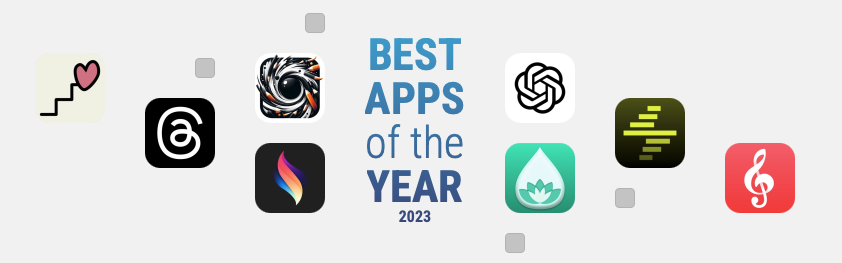
The Best New Apps of 2023

Another year is almost in the books, so it’s time to take a look at the best new apps that landed on the App Store in 2023.

Our list covers the gamut and includes powerful 2D animation app, a perfect way to track anything imaginable, and much more.

Take a look at our entire list here.


source AppAdvice.com Latest https://ift.tt/eFPpncd

Share and Relive Your Travel Memories With Globetrotter

The great new app Globetrotter helps you relive all of your travel memories in a well-designed and fun journal.

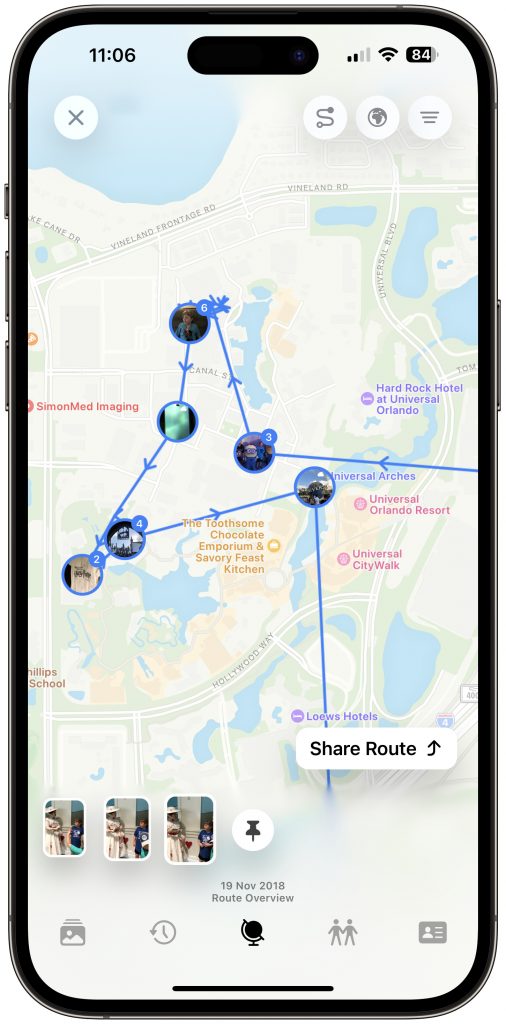
All of your photos are placed on top of a world map so you can see the images you captured at a specific location.

There are a number of ways to enjoy your photography and look back at your travels. The Highlights tab is one of the best in the app.

To start, you can see your world travel highlights including how many countries and continents you’ve been to. There is also a scratch map that highlights those countries.

Below that is a 2023 Wrapped section. Much like Spotify’s popular option, Globetrotter will automatically create a video with some of your best travel memories from the year that can be easily shared.

In the Landmarks section, you can see how many popular locations you’ve visited and see those in 3D using Apple Maps.

Other features in that section include a chart of how many photos you’ve taken over the years and if an image was taken over land, in water, or in the sky.

Head to the Friends icon to invite others to share travel highlights and see how you compare. The feature is private and only share textual highlights.

The globe icon is the place to go to see all of your photos. A standout feature of the app is the ability to see the itinerary during a specific day using photos. It was really fun seeing my family’s trip around Universal Studios and all of the images taken during that day.

Globetrotter is a free download on the App Store now. It’s designed for the iPhone, iPad, Apple Watch, and Mac.

You’ll need a subscription to use the app. That’s available for $3.99 per month or $19.99 per year. With a yearly subscription, you can try out the app free for seven days.

There is also a lifetime unlock option for $49.99.


source AppAdvice.com Latest https://ift.tt/VRZdQmI

5 Great Cocktail and Drink Apps

Martinis, mojitos, merlots, and more. Whether a fancy cocktail or tasty wine is your favorite, these drink apps will have you blending, mixing, and uncorking in no time.

Untappd

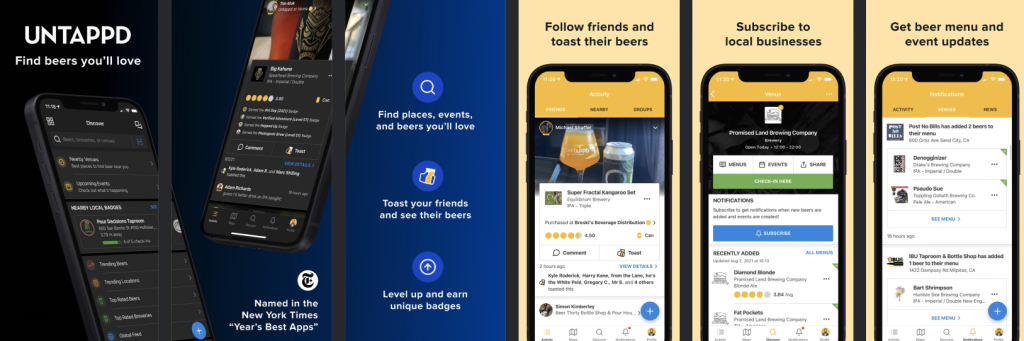
Untappd is a social discovery and check-in network for anyone that enjoys beer. It gives you the ability to easily find nearby craft beers and bars, see what beers are trending, as well as see where your friends are drinking.

Check out the personalized recommendations and use Untappd to find the nearest location you can get the beer you want. Once you’ve got that delicious beer in your hand, use Untappd to track, rate, take a photo, and share it with all your friends. As you explore more beer styles and locations, you will uncover a variety of badges.

Only for the iPhone, the app is a free download.

Drinks and Cocktails

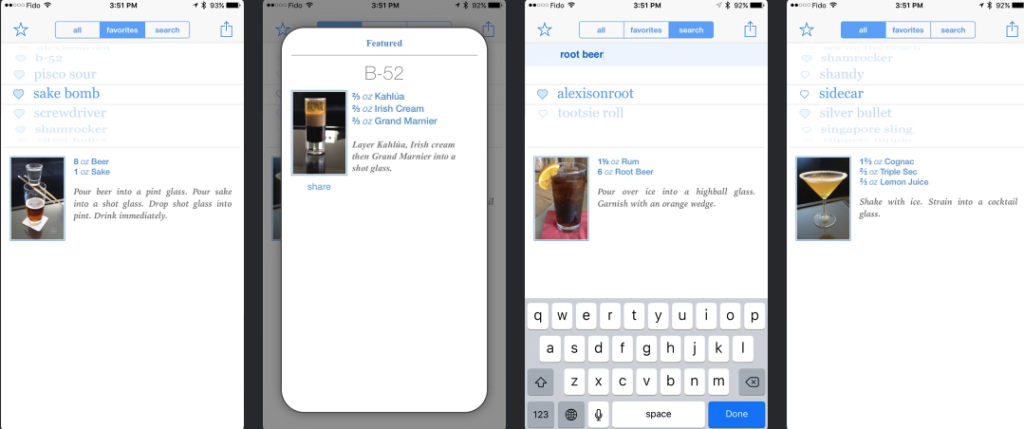
Let’s face it. A good amount of these cocktail apps can be quite overwhelming with their massive databases of thousands of drinks. Some of the instructions on recipes don’t even make sense. Drinks and Cocktails prides itself on simplicity.

With that being said, it is not for everyone. Some would complain that it is too simple. Thankfully the app’s interface isn’t cluttered or tacky-colored. It is quite appealing to the eyes and the developer has also handpicks and edits each recipe so you aren’t confused or taken back with the bartender jargon.

It’s a great iPhone app and best of all, it’s free.

Vivino

Wine aficionados definitely need to try Vivino. You can find information about wine from an unbiased community. You can take a photo of any wine label or restaurant wine list. It’s also possible to search by wine. The app will then show the app’s rating, reviews, price, tasting notes, and suggested food pairings. You can also purchase your favorite bottles through the app.

Save all your bottles in the app’s cellar so you can see what you have on hand. The app’s database has more than 13 million wines from more than 230,000 wineries.

The app is free for the iPhone.

BeerMenus

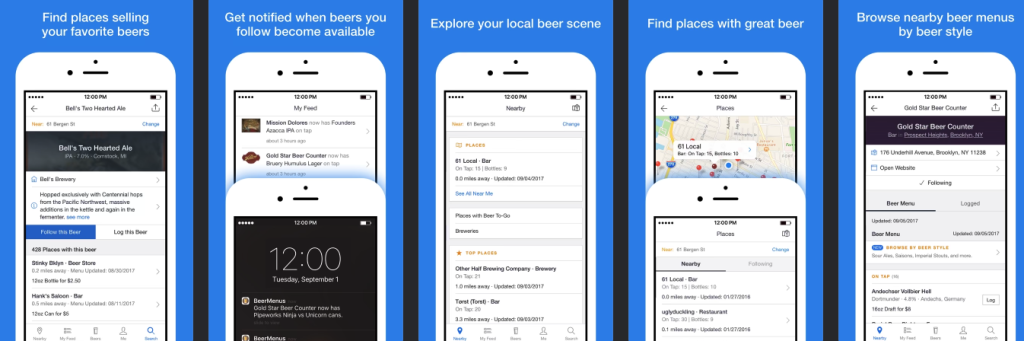
Find places selling the beers you love or those you want to try. Browse up-to-date beer menus for bars, restaurants, and beer stores nearby. Follow your beers and get notified when they become available nearby. Follow bars and restaurants to get notified when they change their beer menu.

Log the beers you drink to keep track of them and easily find your favorites. Find places selling beers you’ve been wanting to try. It’s a free iPhone app.

Cheers!

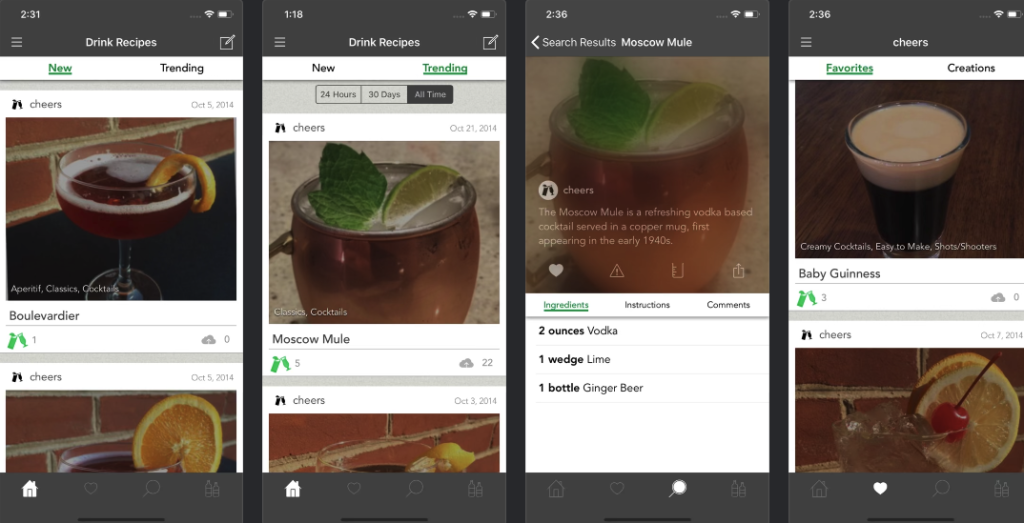
Always create a perfect cocktail with Cheers. You can easily input the ingredients you have on hand and see what you can make right now. There is also a large catalog of drones that you can narrow down by category or even by excluding ingredients you don’t like.

You can even add you own cocktail to the database for all users to enjoy.

The app is a free download for both the iPhone and all iPad models.


source AppAdvice.com Latest https://ift.tt/iAqIobR